Official Mobile App

Download the btd22 app — On Android and iOS Bangladesh's best gaming experience, right in the palm of your hand

Sports Betting, slots, Fish Game, Bingo — everything in one app. Play anytime, anywhere. Easy transactions via Mobile Banking, Nagad, and Rocket.

50+
Game Types
10 MB
Small Size
4.8★
User Rating
btd22

App Overview

Why is the btd22 app the top choice for gamers in Bangladesh?

A good app is essential for mobile gaming or Sports Betting, and btd22 delivers exactly that. At just a few megabytes, it works seamlessly on both Android and iOS. Everything you need is available directly in the app — no browser required.

Most people in Bangladesh access the internet on their mobile phones, and btd22 was built with exactly that in mind. The app runs smoothly even on slower connections, with fast load times and minimal battery drain — making it the perfect choice for playing on mobile data.

The app interface is in Bangla, so even new users will find it easy to navigate. You can learn deposits, bets, and withdrawals step by step. And players who've been using the browser version will find that once they try the app, they won't want to go back.

Every update brings new features, bug fixes, and performance improvements. The btd22 team regularly collects user feedback and uses it to make the app better. This commitment to continuous improvement is a big part of why the app has become so popular.

  • Lightweight 10 MB app, installs fast
  • Full interface in Bengali
  • Supports Android 5.0+ and iOS 12+
  • Live Betting & Real-Time Scores
  • Push Notifications — Bonuses & Match Updates
  • Biometric Login (Fingerprint / Face ID)
btd22

Platform

The btd22 app is available on both Android and iOS

No matter what phone you have, installing the btd22 app is hassle-free.

🤖

Android App

Works on any Android phone — Samsung, Xiaomi, Realme, Oppo, Vivo, and more. Just download the APK directly and install.

Android 5.0+ APK Download 10 MB Free
Download for Android
🍎

IOS App

A smooth experience on iPhone and iPad. Download from the App Store or use the direct link.

iOS 12+ iPhone and iPad 9 MB Free
Download for iOS
What to know before installing on Android

To install the btd22 APK, you'll need to enable "Unknown Sources" or "Install unknown apps" in your phone's settings. It's a straightforward step that takes just a few seconds. You can turn it off again once the installation is complete.


App Features

Everything you get with the btd22 app — a complete gaming package

btd22
Live Sports Betting

Bet with real-time odds while the match is live. Cricket, football, kabaddi — all in one place.

Slots and Casino

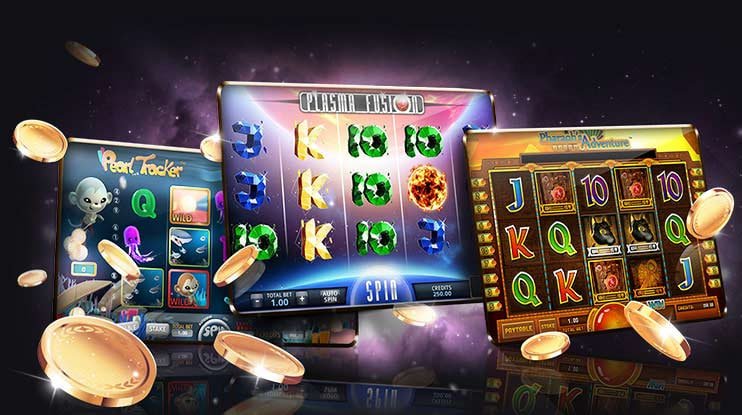
Hundreds of slots and Live Casino tables — smoother graphics and faster loading in the app.

Fish Game

The popular fish shooting game is now on the app. Better graphics and intuitive controls make for a whole new level of fun.

Bingo Game

Fresh bingo sessions every day. Play solo or alongside others. More chances to win, less pressure.

Fast Payments

Deposit and withdraw via Mobile Banking, Nagad, and Rocket — transact directly from the app, no bank visit required.

Push Notifications

Bonus offers, pre-match reminders, withdrawal confirmations — stay informed every step of the way.

Btd22 App Technical Specifications

Subject Android IOS
Minimum OS Android 5.0 (Lollipop) IOS 12.0
File Size Approx. 10 MB Approx. 9 MB
RAM Required Minimum 1 GB Minimum 1 GB
Download Method Direct APK From link
Update Frequency 1–2 times a month 1–2 times a month
Language Support Bangla, English Bangla, English
Biometric Login Fingerprint Face ID / Touch ID

Installation Guide

Install the btd22 app in just a few easy steps

No tech experience needed — every step is simple and straightforward.

For Android

1
Go to your phone's Settings

Go to Settings > Security > Unknown Sources or Install Unknown Apps and enable it. You only need to do this once.

2
Download the APK file

Click the "Android Download" button on the btd22 website. The file will download automatically.

3
Install

Tap the downloaded APK file and hit "Install". It only takes a few seconds.

4
Log In or Register

Open the app. If you already have an account, log in — otherwise, register for free.

For iOS

1
Open the Safari browser

Visit the btd22 website using Safari on your iPhone or iPad. Using a different browser may prevent the installation from working.

2
Click the download link

Tap the "iOS Download" button. When the installation prompt appears, select "Allow" or "Trust".

3
Trust

Go to Settings > General > VPN & Device Management and trust the btd22 app. This is a standard part of iOS security.

4
Launch the app

You'll see the btd22 icon on your home screen. Tap it, then register or log in to start playing.


Security & Trustworthiness

Your data and funds are completely secure on the btd22 app

Security is the top priority in any online gaming app. The btd22 app uses SSL encryption to protect your personal information and financial transactions. No third party can access your data.

Enabling two-factor authentication (2FA) on your account makes logging in even more secure. You can also use biometric login — fingerprint or Face ID — to skip entering your password every time.

Btd22's payment system is directly integrated with the official APIs of Mobile Banking, Nagad, and Rocket. This makes both deposits and withdrawals fast and secure, with no intermediaries — your money goes straight to your mobile banking account.

SSL Encryption

All data transfers are encrypted. No one can intercept your information.

KYC Verification

Identity is verified at registration, eliminating the risk of fraud.

24/7 Monitoring

The security team monitors the system around the clock.

Regular Updates

Security patches and bug fixes are released on a regular basis.

btd22

Exclusive benefits for app users

Extra benefits when you play through the app

Btd22 app users enjoy a number of exclusive benefits over the web version.

App-Exclusive Bonuses

App users receive exclusive promo codes and bonus offers every week.

Fast Loading

The app loads faster than a web browser. You'll get solid performance even on a slower internet connection.

Instant Notifications

Before a bonus expires, before a match kicks off — get all the important updates the moment they happen.

Easy Login

Log in instantly using your fingerprint or Face ID — no need to remember any password.


Frequently Asked Questions

Frequently Asked Questions about the btd22 App

Yes, downloading and installing the btd22 app is completely free of charge. You only need to fund your balance when you're ready to play or bet.

The btd22 app runs on Android 5.0 and above, which covers most Android phones released after 2015. For the best experience, Android 8.0+ with at least 2 GB RAM is recommended.

Yes, the app includes every feature available on the website — Sports Betting, slots, Fish Game, Bingo, deposits, and withdrawals. In fact, the app also offers certain exclusive features not found on the web.

When a new update is available, you'll get a notification the next time you open the app. Just tap "Update" and the latest version will download and install automatically. Your account and balance will remain unchanged.

If you run into installation issues on Android, first check that Unknown Sources is enabled. Make sure you have enough storage space (at least 50 MB free). If the problem persists, reach out to the btd22 support team — they're always ready to help.

Yes. You can log in to the app using the same username and password as your btd22 website account. Your balance, betting history — everything stays in sync.

Download Now

Download the btd22 app and play from anywhere

Hundreds of thousands of Bangladeshi gamers are already using the btd22 app. Join them today — registration is free, and you get a 100% bonus on your first deposit.

18+ adults only
বাংলা